Analytics Module Overview
The Analytics module in the admin role view provides a comprehensive set of tools to access real-time insights into the operation platform’s performance and activities. Designed to support data-driven decision-making, this module enables admins to monitor key metrics and trends across five key subsections: Rounds, Awarded Project/Team, Circles/Members, Review, and Payments.
Subsections
Rounds
The Rounds subsection provides analytics on funding or operational rounds, offering insights into project and milestone performance. It includes the following views and features:
-
Sub-options:
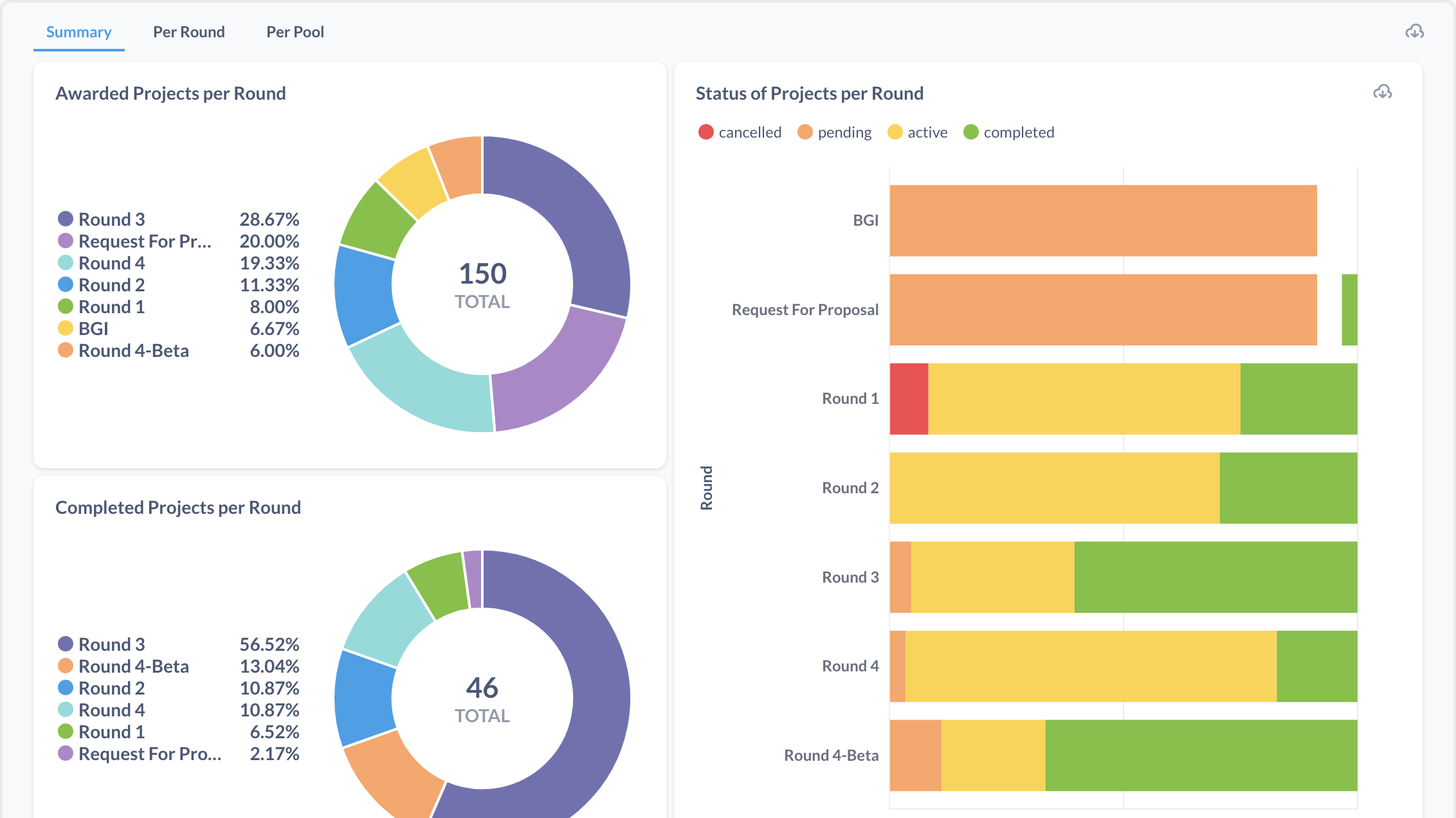
- Summary: Offers an overall view of round activities.
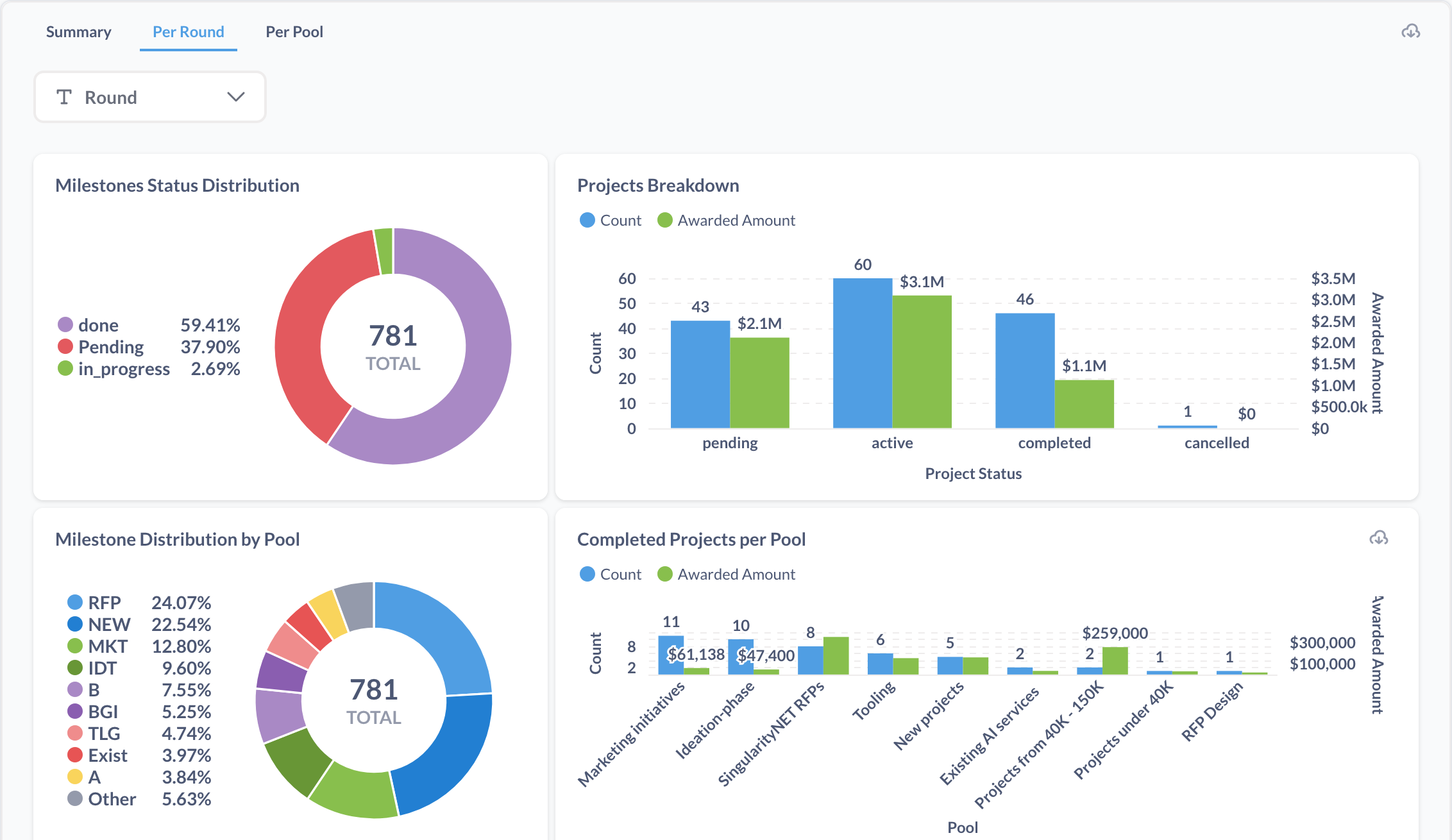
- Per Round: Provides detailed insights for a specific round with a round filter.
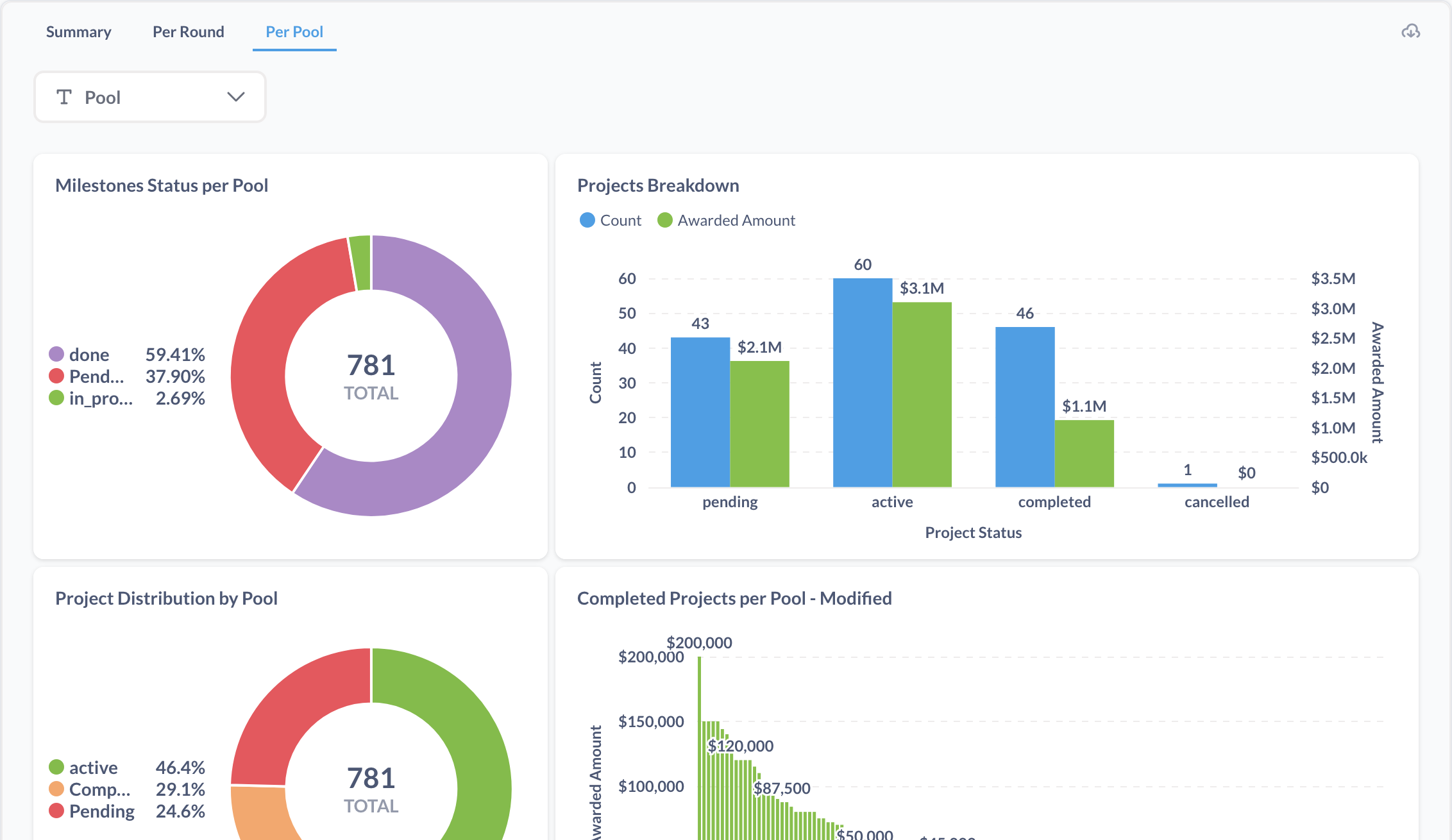
- Per Pool: Analyzes data across funding pools with a pool filter.
-
Data and Visualizations:
-
Overview of project awards, statuses, and completions across rounds through charts and tables.
-
Visual representations of milestone statuses and project distributions across various categories.
-
These tools help admins assess round efficiency and optimize future iterations.
Awarded Project/Team
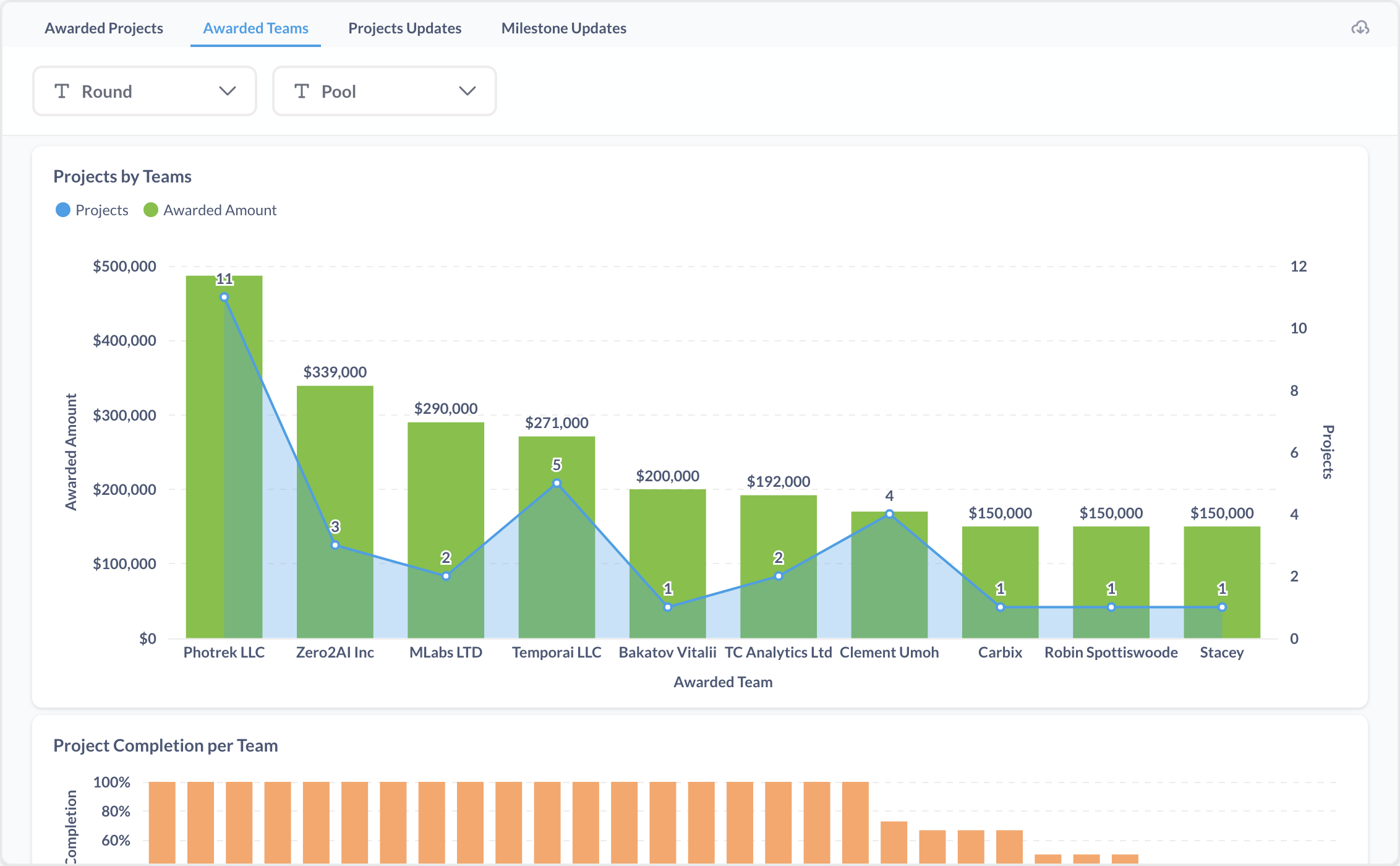
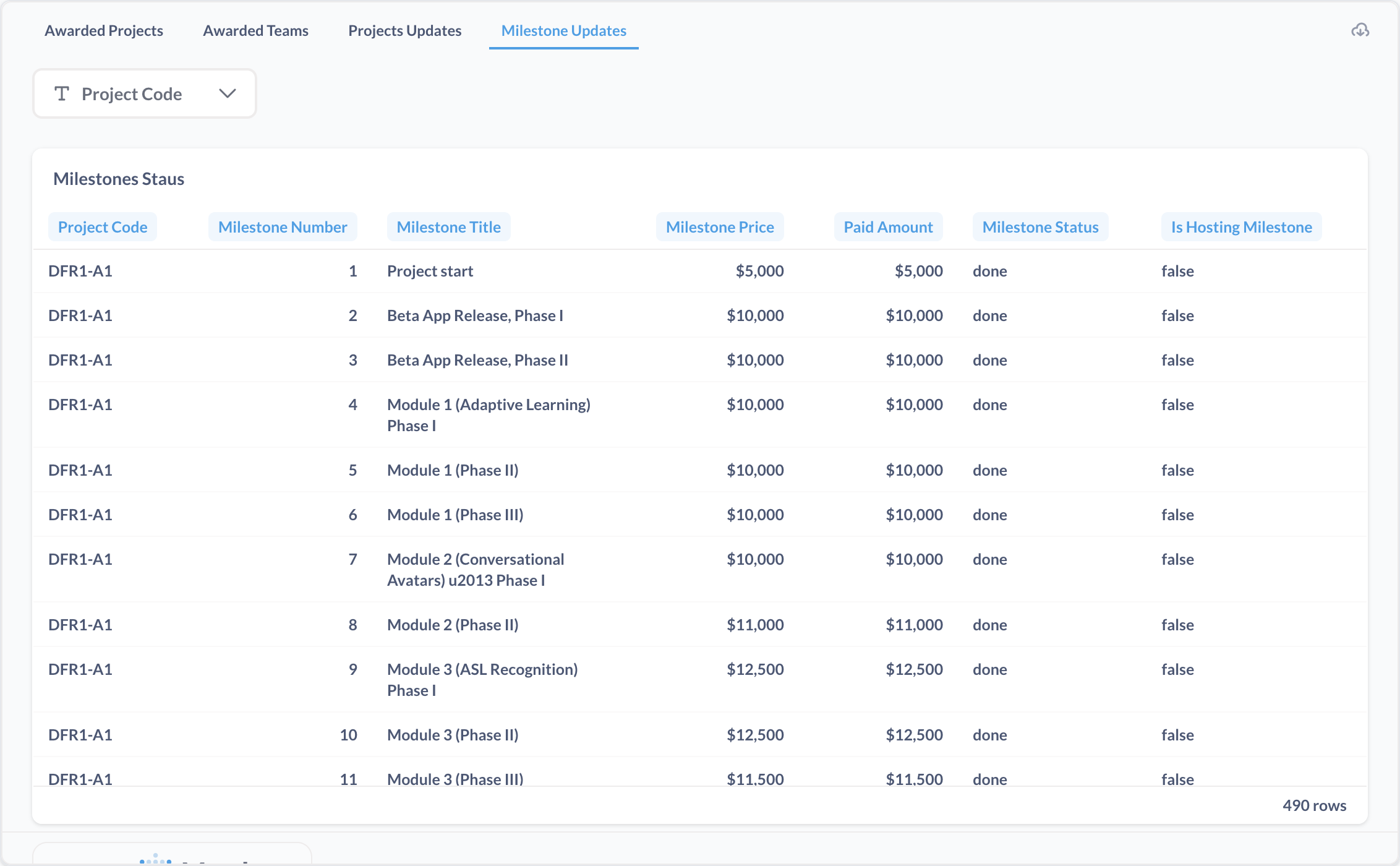
The Awarded Project/Team subsection offers detailed analytics on awarded projects and teams, providing insights into funding status, progress, and distribution. It includes the following views and features:
-
Sub-options:
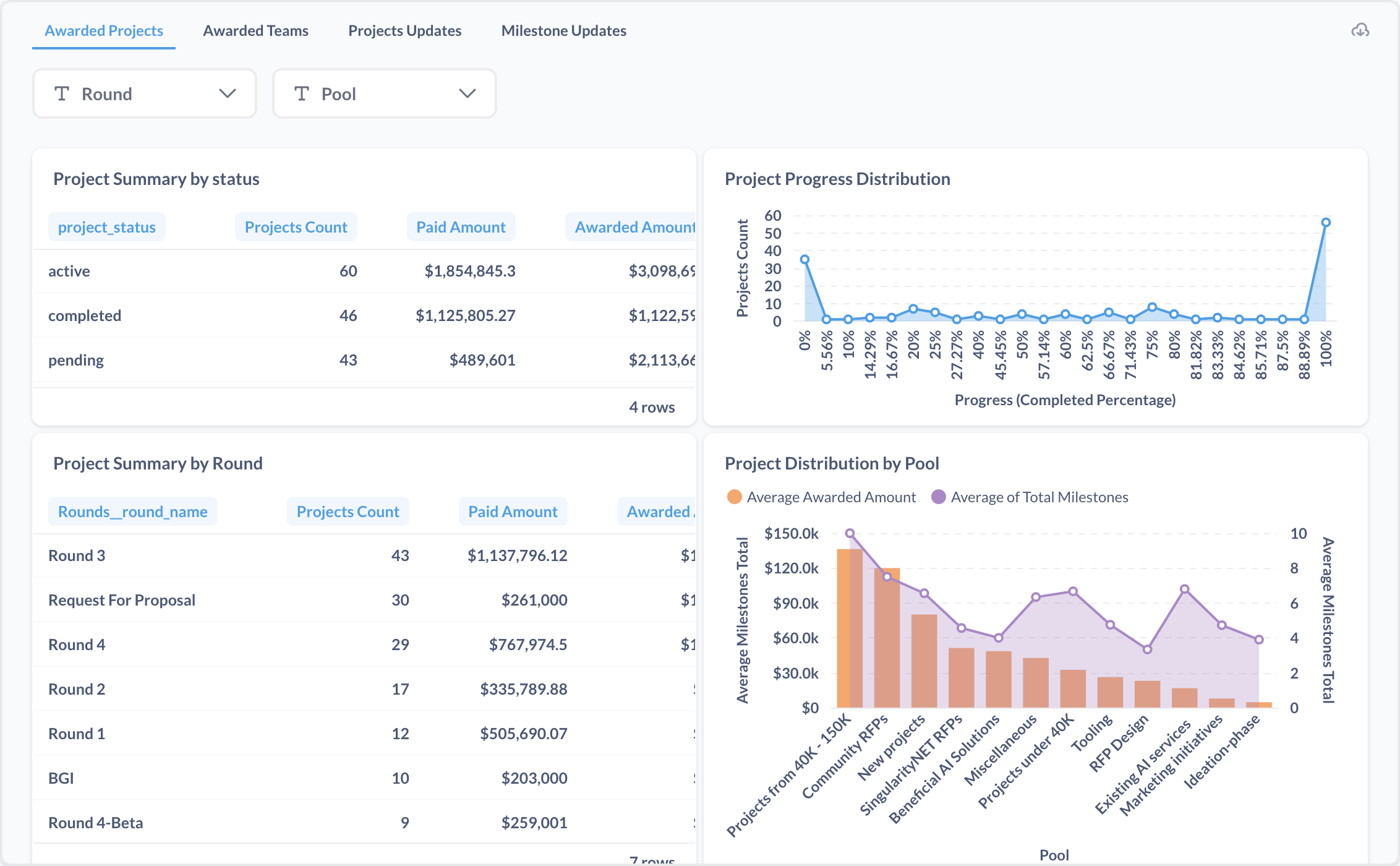
- Awarded Projects: Focuses on individual project details.
- Awarded Teams: Analyzes team-level performance and funding.
- Projects Updates: Tracks updates on project statuses and milestones.
(to be added)
- Milestone Updates: Monitors progress against defined milestones.
-
Filters:
-
Round: Allows filtering data by specific rounds.
-
Pool: Enables filtering by funding pools or categories.
-
-
Data and Visualizations:
-
Overview of project statuses and funding metrics through tables and charts.
-
Visual representations of project progress and distribution across various categories.
-
These tools help admins assess funding allocation, project progress, and pool performance effectively.
Circles/Members
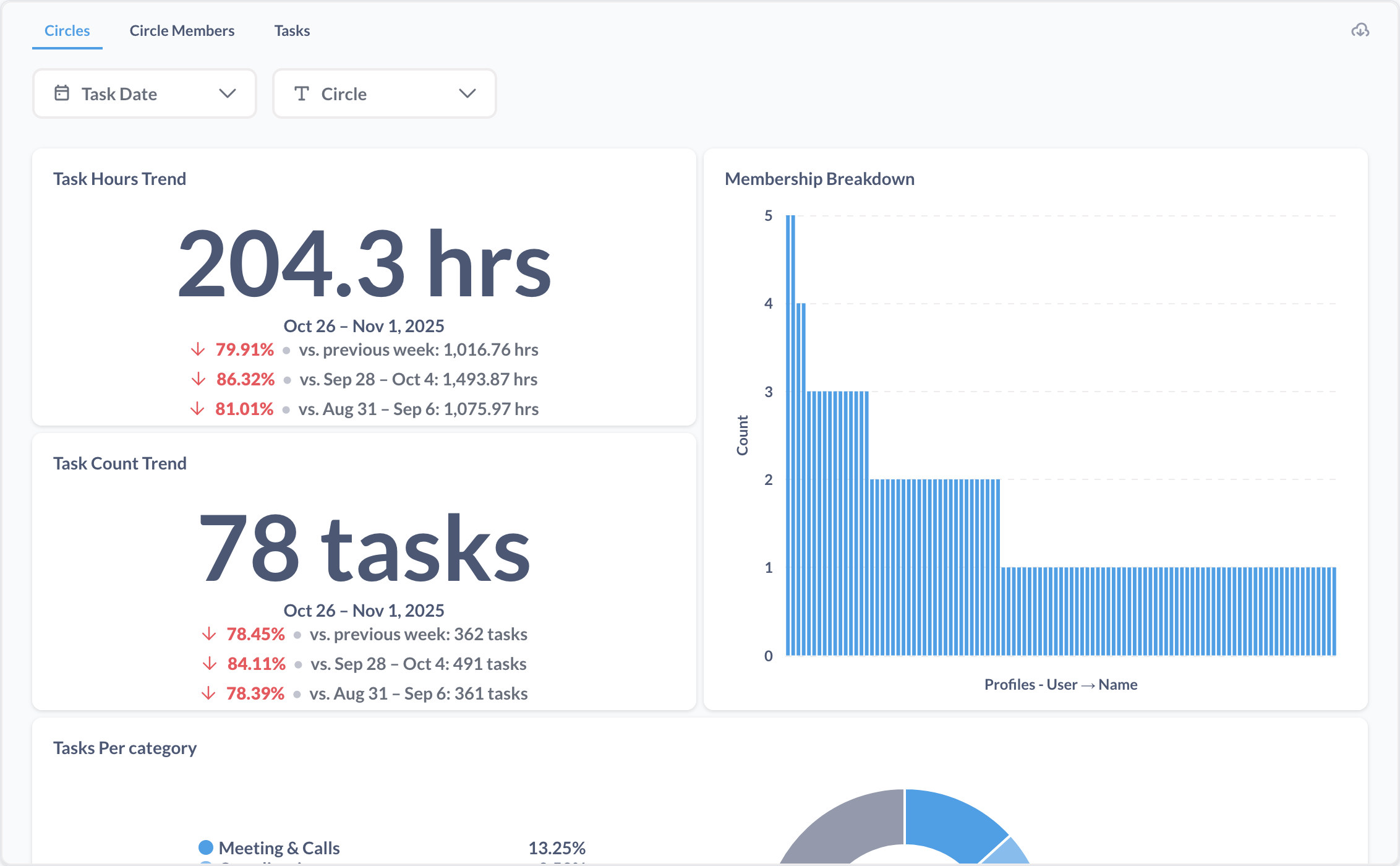
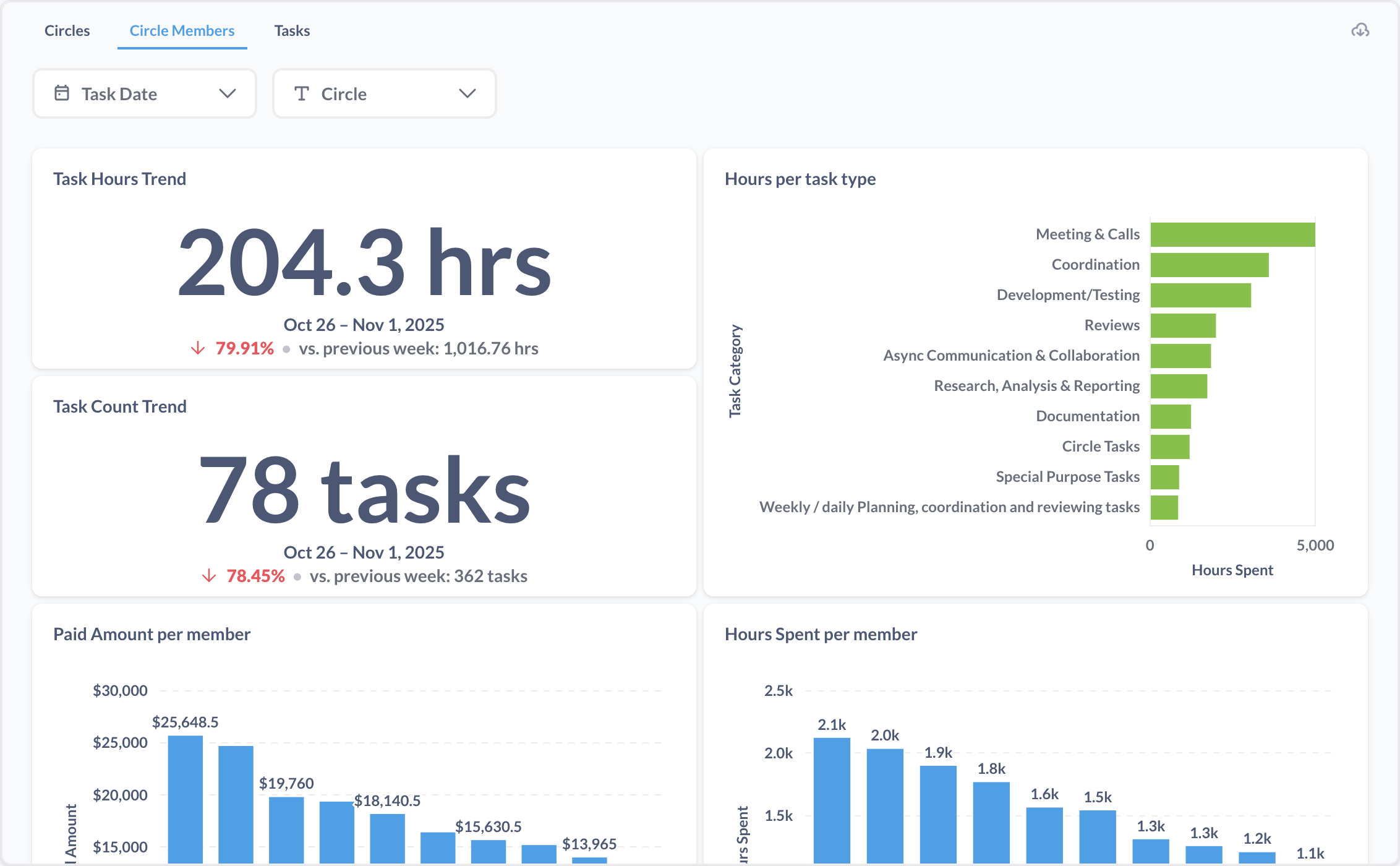
The Circles/Members subsection provides analytics on groups and their members, offering insights into task management and performance. It includes the following views and features:
-
Sub-options:
- Circles: Focuses on group-level analytics with filters for task date and circle.
- Circle Members: Analyzes member activity within circles.
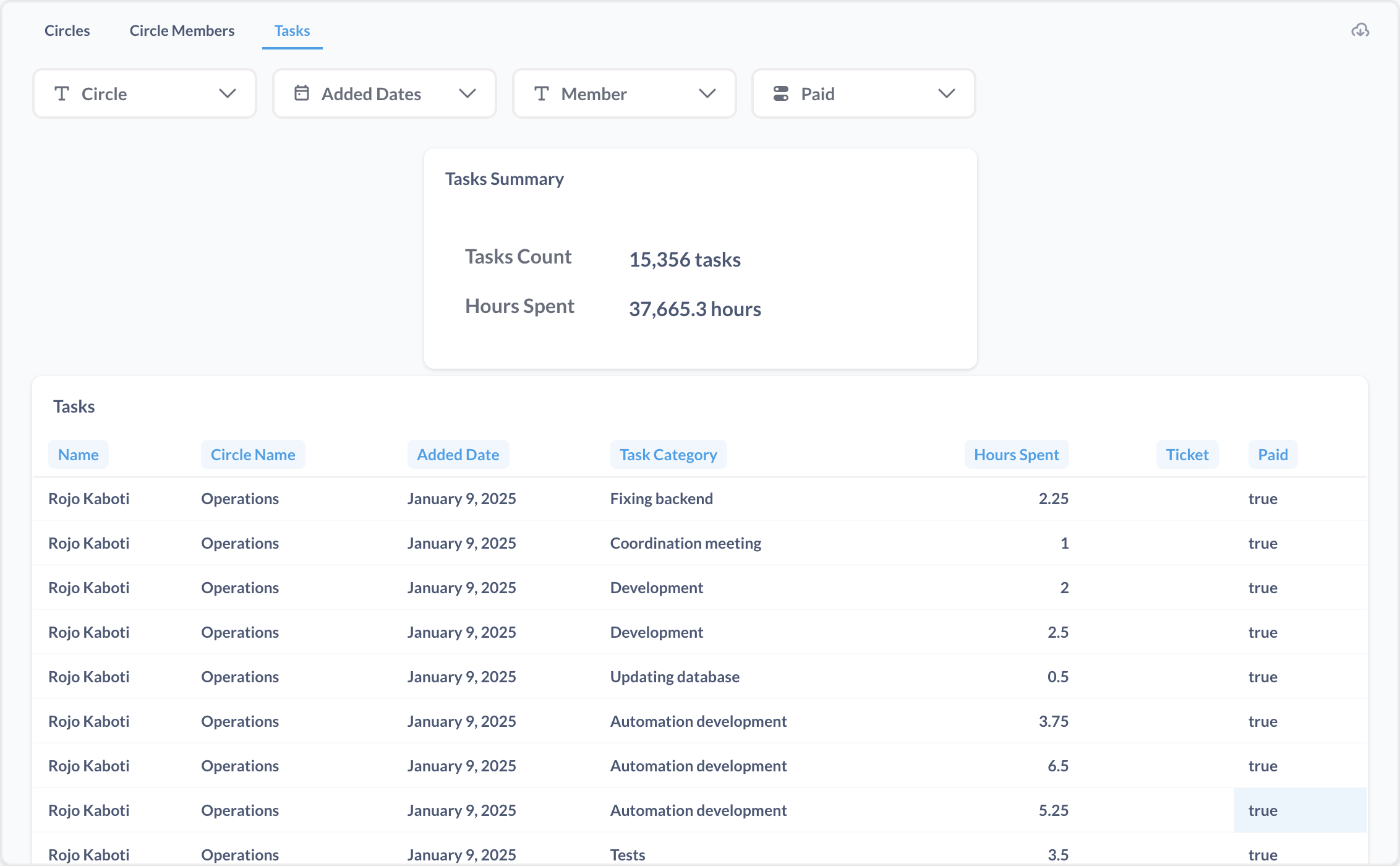
- Tasks: Tracks task-related metrics with filters for circle, member, added dates, and paid.
-
Data and Visualizations:
-
General trends and summaries of task-related activities through charts and tables.
-
Visual insights into group and member performance across different aspects.
-
These tools help admins monitor group and member productivity, task distribution, and payment efficiency.
Review
The Review subsection provides analytics on the review process, focusing on deliverables and reviews. It includes the following views and features:
-
Sub-options:
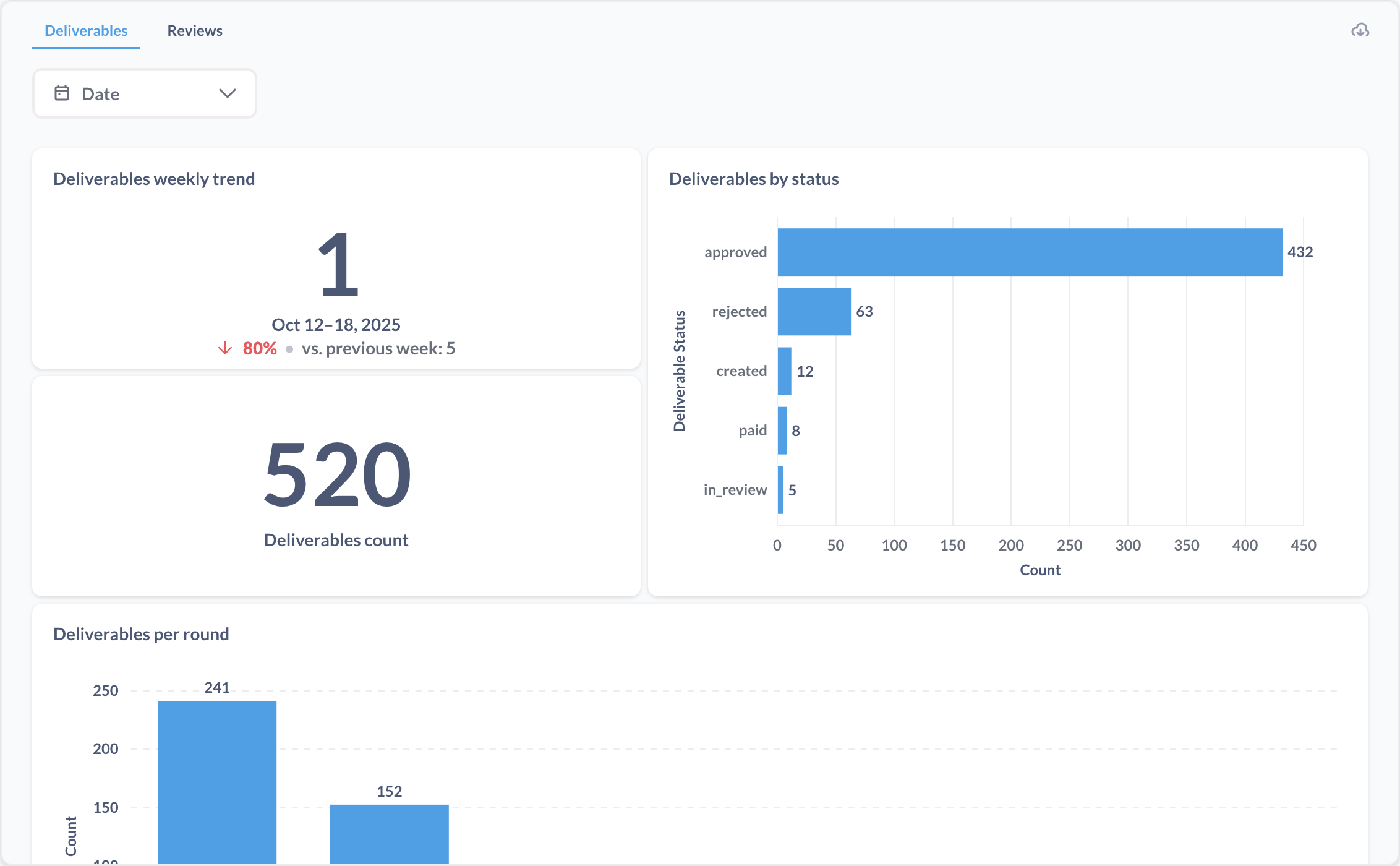
- Deliverables: Analyzes submitted deliverables.
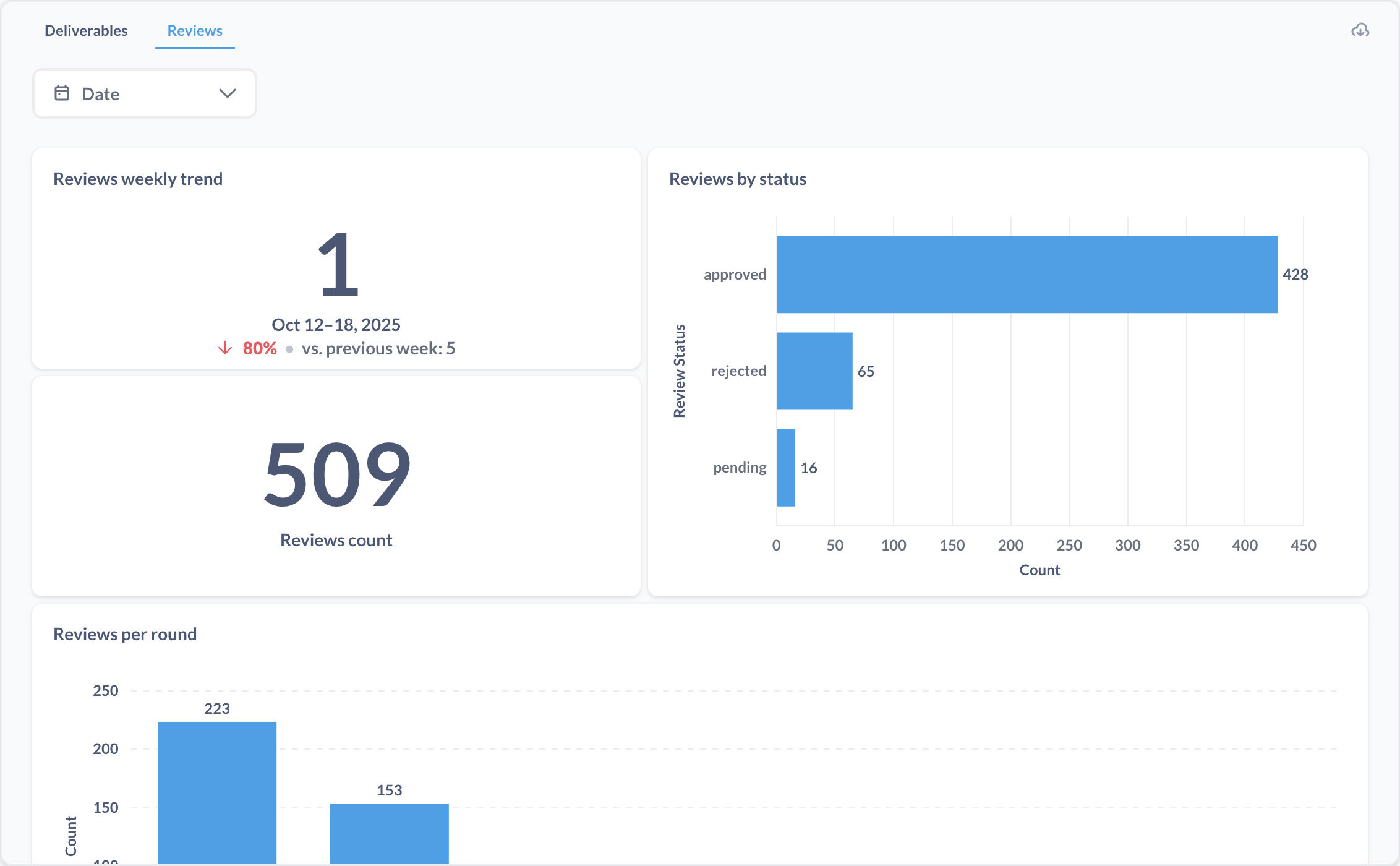
- Reviews: Tracks review activities and outcomes.
-
Filters:
- Date: Allows filtering data by specific date ranges.
-
Data and Visualizations:
-
Overview of review and deliverable trends through visual representations.
-
Summaries of review and deliverable distributions across various categories.
-
These tools help admins monitor review process efficiency and deliverable quality.
Payments
The Payments subsection provides analytics on financial transactions and disbursements across the platform. It includes the following views and features:
-
Sub-options:
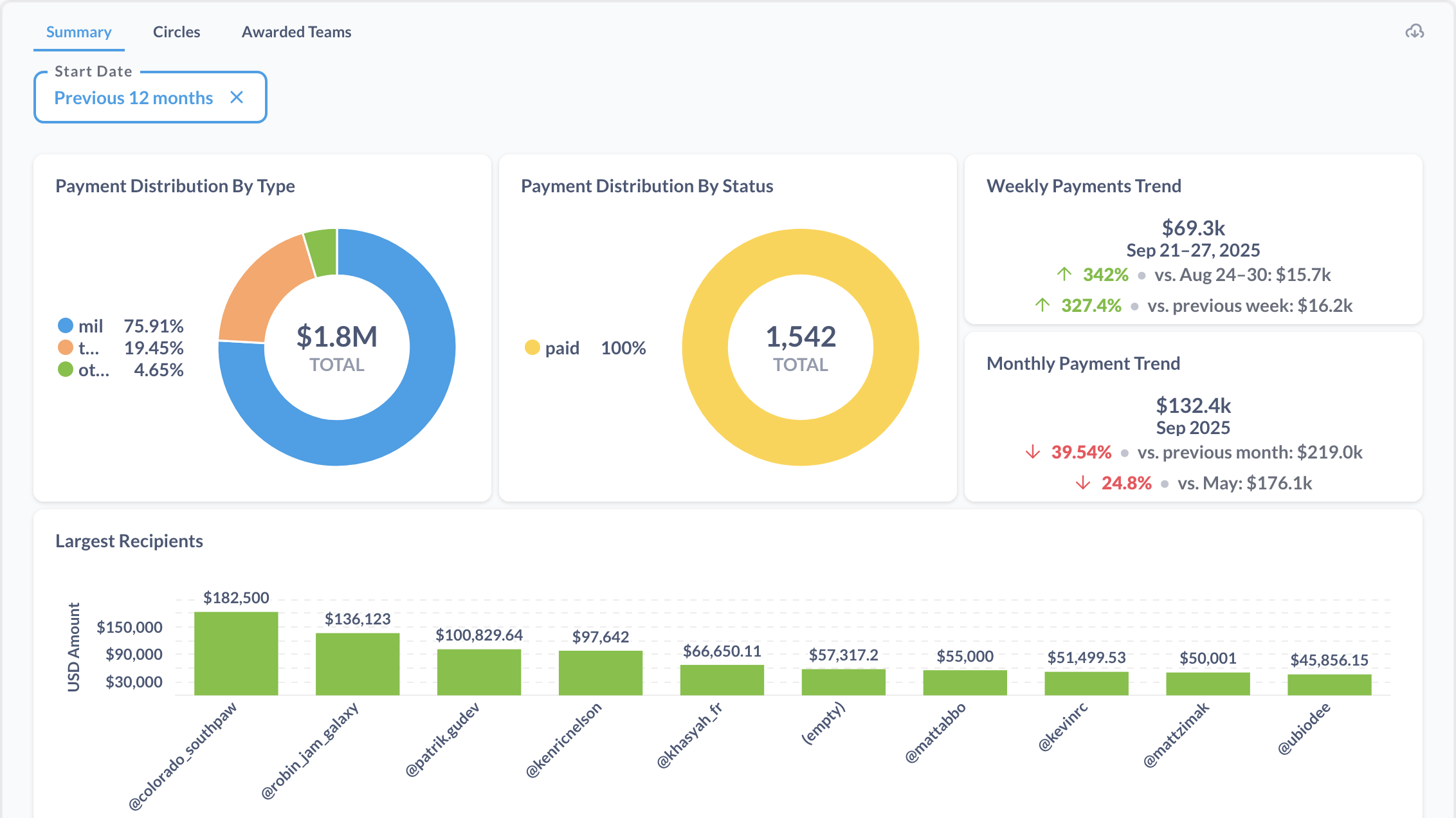
- Summary: Offers an overview of payment activities.
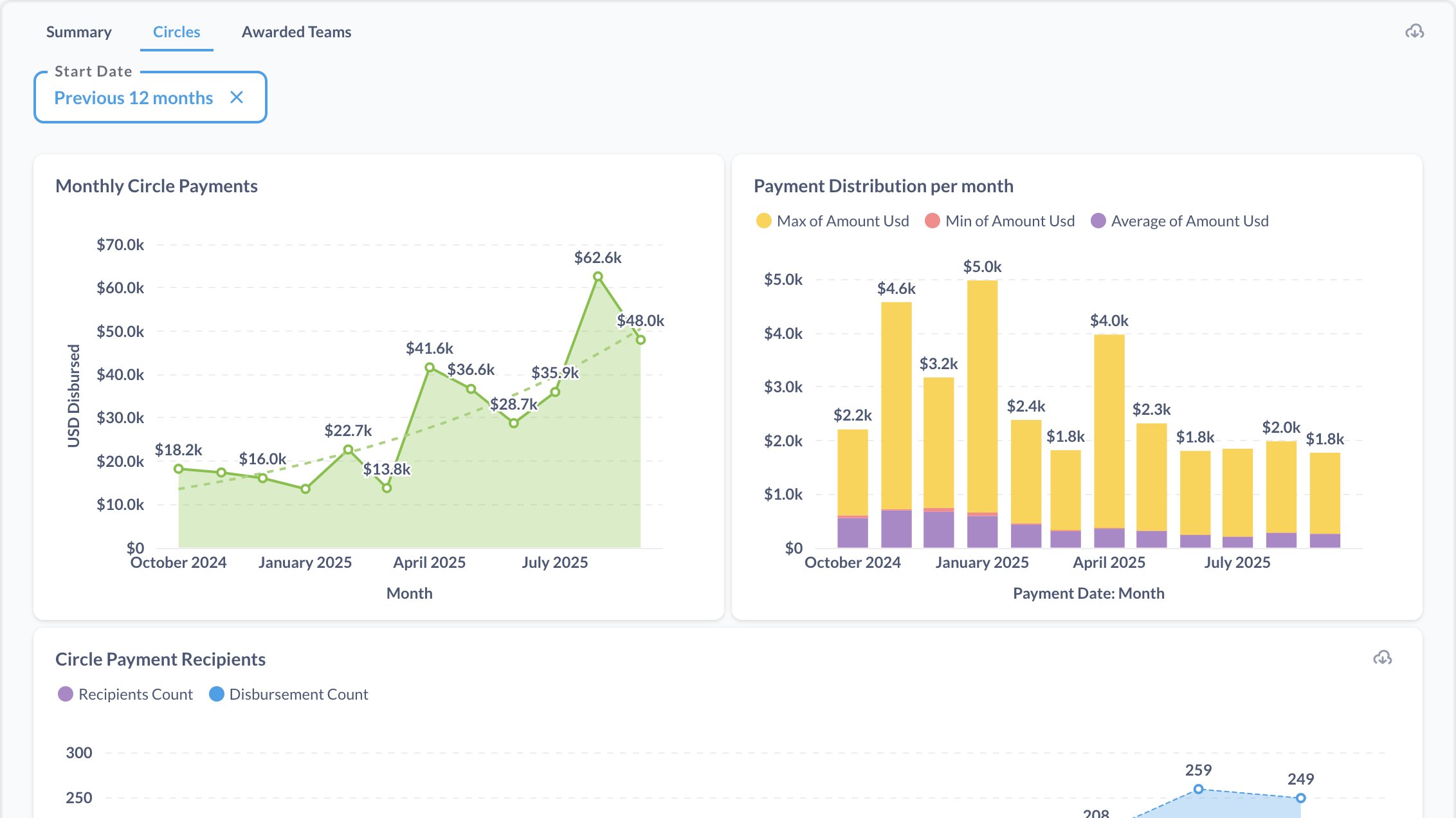
- Circles: Focuses on payment details for circles.
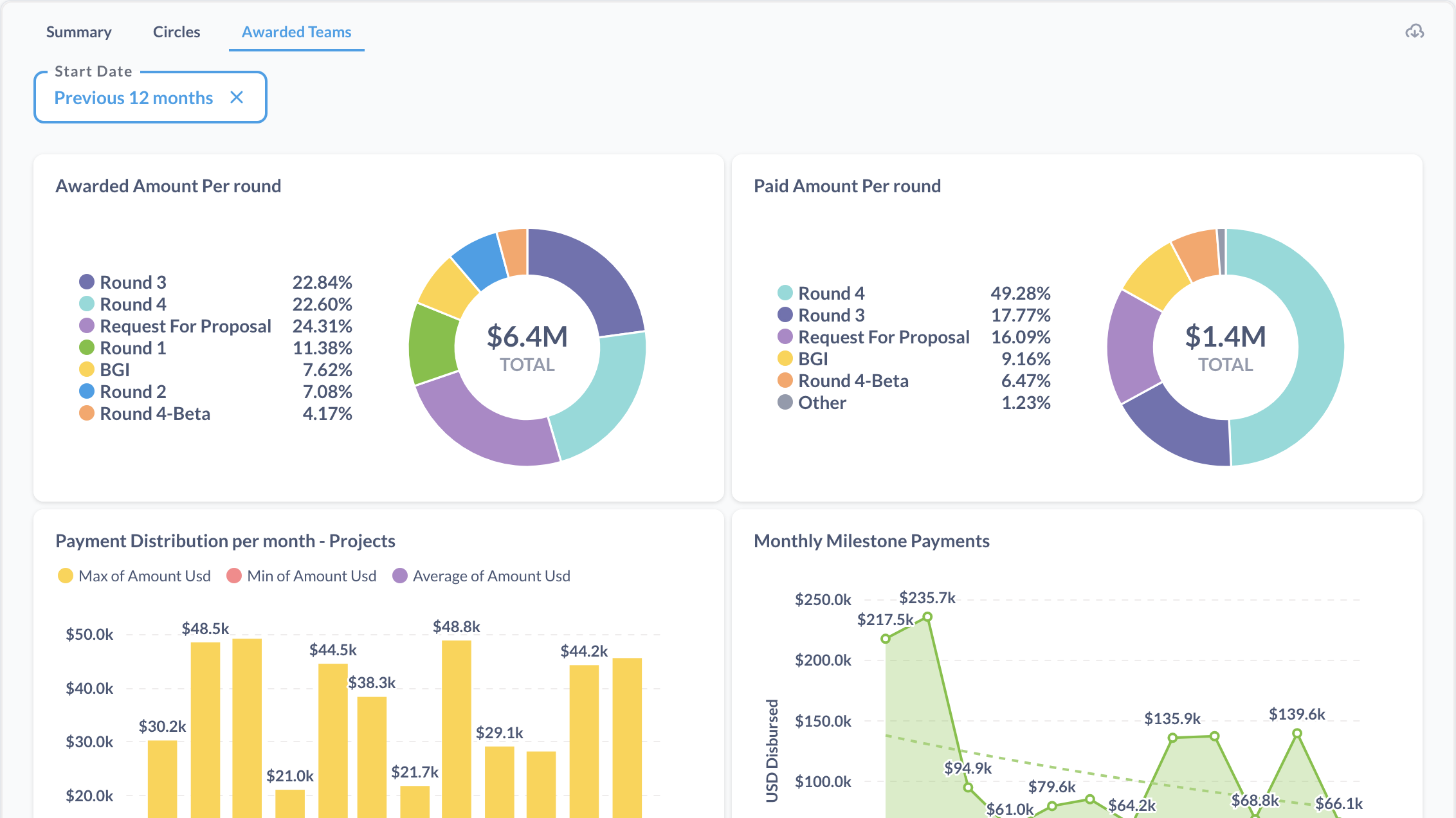
- Awarded Teams: Analyzes payments related to awarded teams.
-
Filters:
- Start Date: Allows filtering data by a specific start date.
-
Data and Visualizations:
-
General insights into payment patterns and distributions through charts and tables.
-
Visual summaries of payment activities across different groups and time periods.
-
These tools help track payment efficiency, identify trends, and ensure accurate disbursements.